For a turn-based strategy game, players will need a lot of resources to be able to beat their opponents in Total War Warhammer 3. Although you can get a lot of these easily, players will often find their resources to be blocked. Fortunately, you can use some of these Total War Warhammer 3 console commands to get things like gold, units, and more.
While the game does not officially allow access to console commands, there is a mod that you can find on the Steam Workshop that works. Luckily, setting up the mod on Steam is quite easy and all you will need to do is complete a few steps. If you have found it hard to set up the mod and use the list, this guide has covered everything you will need.
How to Setup Console Commands Mod in Total War Warhammer 3
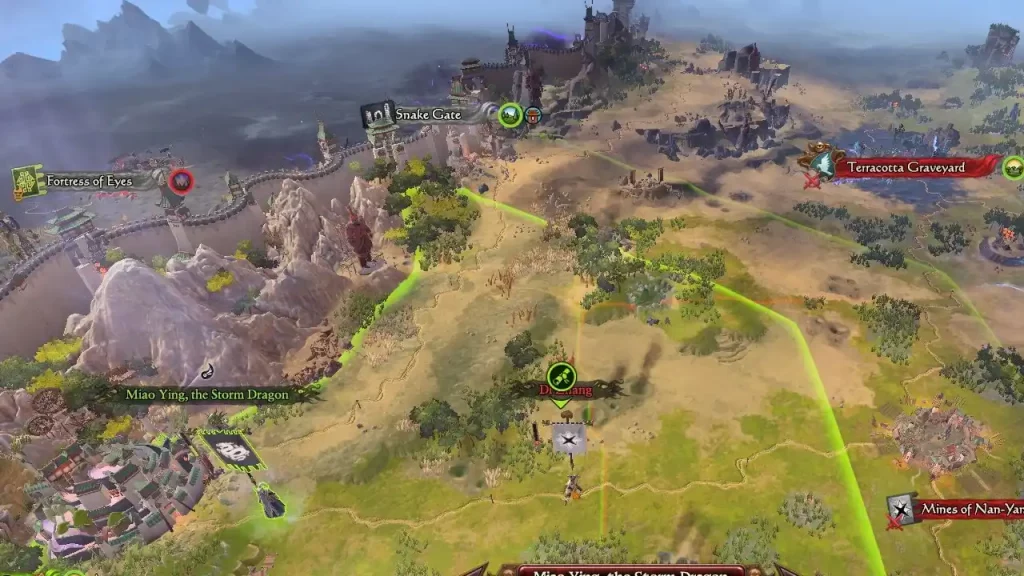
The mod for Total War Warhammer 3 console commands is created by Prop Joe Mods and here’s how players can set up this mod:
- Head to the Total War Warhammer 3 game tab and then open the Workshop option.
- You can search for the mod you are looking for and if it is only the Console Command that you are interested in, you can follow the link here.
- While you are on the mod page, hit the Subscribe button and then it will automatically download and install it.
- The next time you launch the game, you will have access to the mod.
All Total War Warhammer 3 Console Commands
This is the complete list of all Total War Warhammer 3 console commands that you can use:
- give gold <number> – gives <number> of gold to the player (can also be negative), if you have a settlement selected it will give gold to the faction owning the settlement
- give gold – gives 50000 gold to the player, same faction things as above
- fow on – fog of war on
- fff – fog of war off
- am – restore selected char movement points
- mov – gives the selected character a buff with bonus movement points (applied after you end the turn)
- mov off – removes the buff with bonus movement points from the selected character (removed after you end the turn)
- au – add of units with unit_key to selected army*
- au – add unit with unit_key to selected army*
- add axp – add of ranks to all units of selected army
- add axp – add 1 rank to all units of selected army
- add xp – add of xp points to the selected character, unembed heroes to give them xp
- primary – set primary slot level of selected region to
- primary – set primary slot level of selected region to max
- region – gives 1000 growth, 1000 horde growth and 1 turn build speed to all player regions
- region off – turns off region
- gr – gives the player ownership of the selected region
- gr – gives ownership of the selected region, if a faction has no regions or armies on the map you can’t give them a region, spawn them an army first
- abandon – makes the selected region be abandoned
- kill – kills (or wounds if immortal) the selected character and his army
- technology – gives the player +2000% research speed
- technology – gives the player % research speed (can also be negative)
- technology off – remove the technology bonuses
- global rec – changes the player’s global recruitment time by of turns (use negative value to lower)
- global rec off – remove the global recruitment time bonuses
- heal – sets health of each unit in the selected army to , that is between 0-100
- to_pool – adds a lord to the player faction recruit pool, the name will be blank and the character won’t be immortal, cross-race stuff won’t work without table adjustments
- item – gives the player an ancillary (items characters can equip), giving mounts won’t work, some items are culture-locked
- tele – first select a character, then select another character or a settlement as a teleport target, after that typing tele will teleport the character
- at – adds a trait to the selected character, e.g. add trait wh2_dlc09_trait_defeated_settra
- at – for traits with multiple levels
- rt – removes a trait
- spawn – spawns an army next to selected character or settlement, use agent_subtype in the Character art sets table, where the agent_type is “general”, faction_key and units are optional
- res – add of a to the player faction (can be negative), look in the discussion thread for a list of keys
- hef_inf – gives the player a faction buff that gives of High Elf influence per turn, can be negative
- hef_inf off – remove the High Elf influence bonuses
- other_res – way to change chivalry, type other_res to adjust how much you get those every turn, you don’t need to specify the resource name here
- alliance – make a military alliance with the owner of the currently selected settlement or character
- peace – make peace with the owner of the currently selected settlement or character
- trade – make a trade agreement with the owner of the currently selected settlement or character
- confederate – confederate the owner of the currently selected settlement or character
- war – starts a war between the player and the owner of the currently selected settlement or character
- vassal – same thing as above
- milaccess – military access
- defalliance – defensive alliance
- alliance2, peace2, trade2, confederate2, war2, vassal2, milaccess2, defalliance2 – same thing as the commands above but can target any 2 factions, and not necessarily involve the player faction, so the way it works: select first region, select second region, type the command (for example war2)
That’s all you will need on the Total War Warhammer 3 console commands. If you found this guide helpful, do check out the best Factions Tier list for the game while you are here at Gamer Tweak.