Home > Call of Duty: Modern Warfare II > Activision Account Linking Bug In Modern Warfare 2

Modern Warfare 2: Activision Account Could Not Be Linked Fix

Published Date :

The much anticipated FPS shooter of the COD Franchise is here and players around the world are loving it. Modern Warfare 2 has intense missions and an engaging storyline that will keep you entertained for hours. There are reports of many bugs and errors present in the game. Many of these bugs are minor but some render the game unplayable. One such issue players have faced is the Activision Account bug. If you too have come across this issue then look no further. In this article, we will tell you how to fix the “Activision Account Could not be Linked” Bug in Modern Warfare 2.

How to Fix the “Activision Account Could not be Linked” Bug in Modern Warfare 2
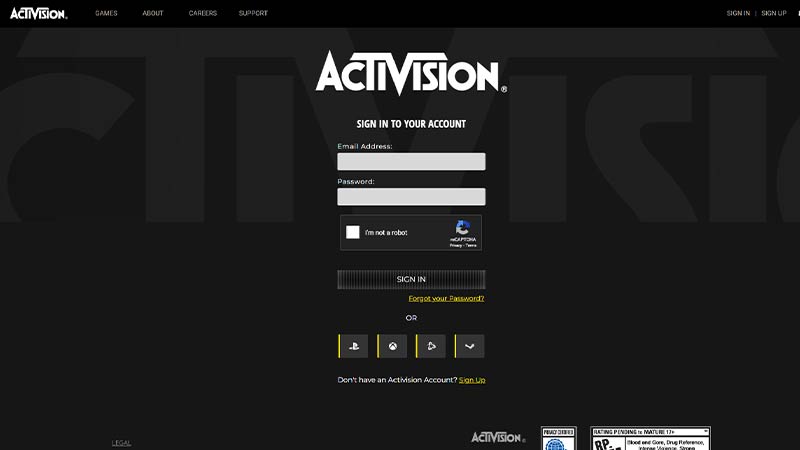
COD MW2 Link Activision Account

When you try to link your Activision account to the game, you get a message saying that it is already linked to another account. If you haven’t linked the game to any other account then here’s how you can fix this bug:

  • Check the Linked Accounts
  • Unlink and Relink your Account
  • Make a New Account

Check the Linked Accounts

  • Head over to the Activision Login Page
  • Sign in to your Account
  • Click on Profile in the top right corner of the screen
  • Under profile, click on Account Linking
  • Check your Steam or Battle.net accounts are linked

Unlink and Relink your Activision Account

  • Follow the same steps till “Account Linking”
  • Click on the Unlink Button beside Steam or Battle.net
  • Refresh the page
  • Click on Link Button beside Steam or Battle.net

Make a New Account

If none of the above-mentioned fixes are working, then we suggest you make a new account on Activision. Sign up on the Activision page using a different email address and try linking the account.

That’s all from us on how to fix the Activision Account Bug in Modern Warfare 2. We have more helpful guides to fix errors in this game on our COD MW2 Wiki Guide so check it out soon.


  • Clean the Squishies Codes (July 2026)

    Clean the Squishies Codes (July 2026)

    Published Date :

    There’s something surprisingly satisfying about picking up the cute Squishies and putting them back on their designated shelves. If you’re interested in getting some unique rewards including free Squishies, this guide is for you. Here’s the complete list of all the working rewards. Last checked for new codes on July 13, 2026 All Clean the… Read More

  • Scratchy Loot Codes (July 2026)

    Scratchy Loot Codes (July 2026)

    Published Date :

    If you want a little luck boost while playing Scratch Loot, codes come to the rescue! In this experience, you scratch cards, reveal symbols, earn coins, and keep upgrading to get better rewards. To make this journey easier, the developers regularly release codes, and if you don’t want to miss out, redeem the freebies mentioned… Read More

  • My Squishy Box Store Codes (July 2026)

    My Squishy Box Store Codes (July 2026)

    Published Date :

    Every new customer brings another opportunity to grow your business and expand your collection of adorable squishies. To help you even more, the devs release My Squishy Box Store codes that provide free cash and in-game items. These freebies that can help you upgrade your shop faster and earn more while handling a steady flow… Read More

  • GTA 6 Players in Australia May Need Age Verification Due to New Online Safety Rules

    GTA 6 Players in Australia May Need Age Verification Due to New Online Safety Rules

    Published Date :

    Australian players could have an extra requirement to meet before accessing Grand Theft Auto VI’s online features. Under the country’s updated online safety regulations, games classified as R18+ may need to verify that players are adults instead of relying on a simple age confirmation (as per news.com.au). If GTA 6 falls under those requirements, Rockstar… Read More