Acer Aspire laptops started off as just casual laptops for personal or business uses back in 1999. But nowadays Aspire series has become the definition of a good budget gaming laptop with the latest bells and whistles. We got our hands on the latest Acer Aspire 7 with an RTX 3050, a 144hz display, and tons of new features. Can this laptop become the new bang for one’s buck in entry-level RTX gaming? Find out in our Acer Aspire 7 RTX 3050 (A715 43G) Laptop Review.
Acer Aspire 7 RTX 3050 Review
In this review, let’s break down Acer Aspire 7 RTX 3050 (A715 43G) Laptop into several categories to understand what’s this machine is capable of:
- Design & Looks
- Specs
- Features
- Gaming
Design & Looks
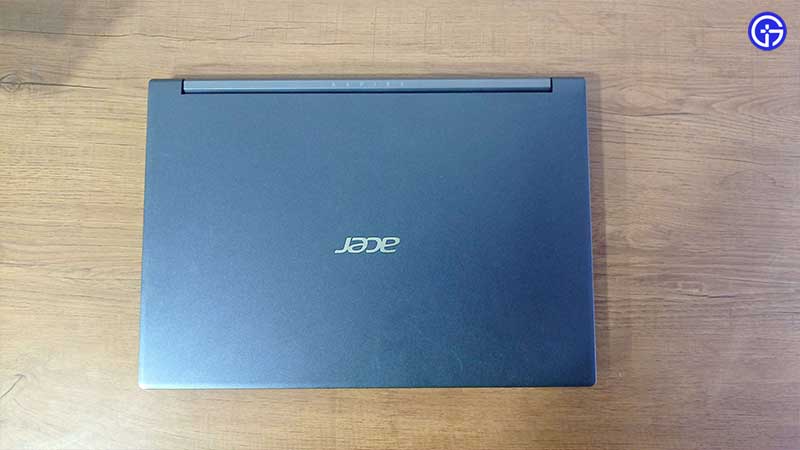
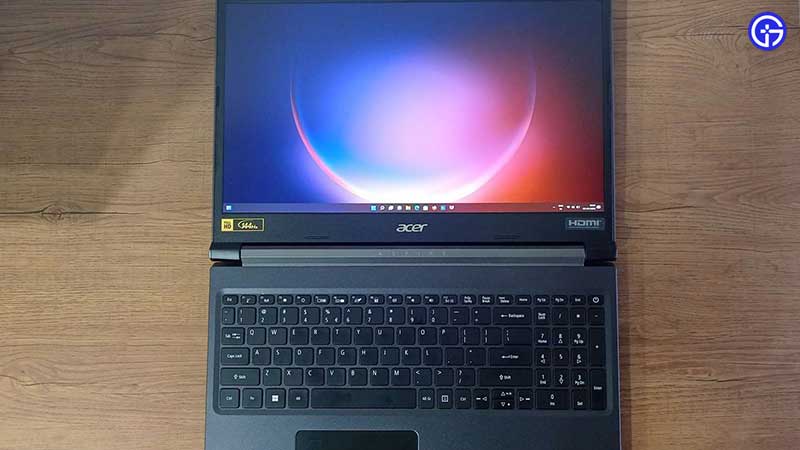
Acer Aspire 7 (A715 43G) like its predecessors from the last few years managed to keep the laptop slim and lightweight for its performance. This model boasts of some beautiful aesthetics. This is sure to make some heads turn in a café. It’s surprisingly slim and light for its size. The keyboard was a breeze even after long hours of both work and gameplay. The touchpad felt equal to some of the best laptop trackpads out there. Moreover, it has a built-in fingerprint sensor right on the touchpad. So no more fiddling around whenever you need to log in or approve purchases instead of those long passwords.
The screen is pretty decent to look at. The out-of-the-box image quality is not bad for your games either. Pair that with the 144hz capabilities, you have really nice display for the price. The thin bezels really make the display look larger than it is. This is not as amazing as OLED displays in other expensive laptops, but given its compact design, and affordable price range, this IPS panel is really good value for your bucks.
Open the laptop and you will be welcomed with brushed matte black colors. The same tone continues all the way back to the lid too. The keyboard had a white backlight, but there was no option to control the brightness of this. It could be due to my sitting position, but I found the backlight under the Function keys to be a little distracting during gaming sessions. The device weighed around 4.73 pounds or 2.15 kg. Light enough to easily take it to any LAN parties or for gaming on the go.
Specs
The one thing to keep in mind is that this machine won’t be the most powerful laptop you have seen. But it’s affordable for the features in its category. After gaming long hours on these machines, it’s amazing how Acer managed to put together all the components in this device with really good weight ratios.
This one has an AMD Ryzen 5825U processor, NVIDIA RTX 3050 GPU with 4 GB GDDR6 memory, 500 GB SSD, and 8 GB DDR4 RAM. We would have loved to see 16 GB but today we are trying out the entry-level model. But thankfully that memory is running on dual-channel, boosting bit more frames in games we tested. Games like Fortnite, GTA 5 easily stayed above 90 fps, and even above 60 fps with extra graphics settings turned on in Elden Ring & God of War (PC). Also, the fans didn’t kick in too loud either. It was a really enjoyable experience to hook this a monitor and pair it with an Xbox controller. Here’s the complete breakdown of Acer Aspire 7 (A715 43G):
Processor (CPU)
- CPU Name – AMD Ryzen 7 5825U with Radeon Graphics
- Threading – 1 CPU – 8 Core – 16 Threads
- Frequency – 1882.55 MHz (19 * 99.26 MHz) – Uncore: 1588.2 MHz
- Multiplier – Current: 19
- Architecture – Cezanne / Stepping: CZN-A0 / Technology: 7 nm
- CPUID / Ext. – F.0.0 / 19.50
- IA Extensions – MMX(+), SSE, SSE2, SSE3, SSSE3, SSE4.1, SSE4.2, SSE4A, x86-64, AES, AVX, AVX2, FMA3, SHA
- Caches – L1D : 32 KB / L2 : 512 KB / L3 : 16384 KB
- Caches Assoc. – L1D : 8-way / L2 : 8-way / L3 : 16-way
- Microcode – Rev. 0xA50000C
- TDP / Vcore – 15 Watts /
- Temperature – 46.4 °C / 116 °F
Graphic Card (GPU)
- GPU #1 Type – NVIDIA GeForce RTX 3050 Laptop GPU (GA107) @ 1500 MHz
- GPU #1 Brand – ACER
- GPU #1 VRAM – 4096 MB @ 6001 MHz
- GPU #2 Type – AMD Radeon (TM) Graphics
- GPU #2 Brand – ACER
- GPU #2 VRAM – 512 MB
Memory (RAM)
- Total Size – 8192 MB
- Type – Dual Channel (128 bit) DDR4-SDRAM
- Frequency – 1585.9 MHz (DDR4-3172) – Ratio 1:16
- Timings – 22-22-22-52-74-1 (tCAS-tRCD-tRP-tRAS-tRC-tCR)
- Slot #1 Module – SK Hynix 4096 MB (DDR4-3200) – P/N: HMA851S6DJR6N-XN
- Slot #2 Module – SK Hynix 4096 MB (DDR4-3200) – P/N: HMA851S6DJR6N-XN
Storage (HDD/SSD)
- Model #1 Name – Western Digital WDC PC SN530 SDBPNPZ-512G-1114 (FW: 21113000)
- Model #1 Capacity – 476.9 GiB (~510 GB)
- Model #1 Type – Fixed, SSD – Bus: NVMe (17)
Motherboard
- Model – BC Azalea_BCU
- Socket – Socket FP6
- North Bridge – AMD Ryzen SOC rev 00
- South Bridge – AMD FCH rev 51
- BIOS – Insyde Corp. V0.02_T01 (11/18/2021)
Miscellaneous
- Windows Version – Microsoft Windows 11 (10.0) Professional 64-bit
Features
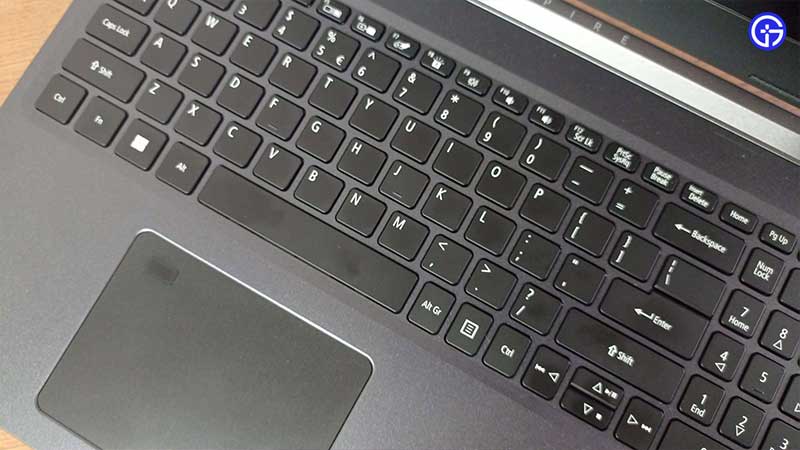
The first highlight you see in the laptop is undoubtedly the fingerprint sensor. It’s fast, responsive, and never failed to read my finger even while testing out in weird finger placement angles. It’s not the best in the class when compared to the other laptops with glass finish. But it’s a welcome addition to see something like this at this price point. The 144Hz display really changes the responsiveness of the device. In addition to the benefits of gaming, it’s even visible in day-to-day tasks like just moving around your mouse cursor. 144 Hz really makes things look fluid and buttery smooth.
I was slightly disappointed to see downward-firing speakers on this model when many gaming laptops have chosen better speaker designs. But still, it managed to pump out clear vocals and appreciable details. But for immersive gaming, you should consider investing in a good pair of headphones. The one highlight I was to say here is the hinge. It is sturdy, well-built, and even lets your laptop open up to a whopping 180 degrees.
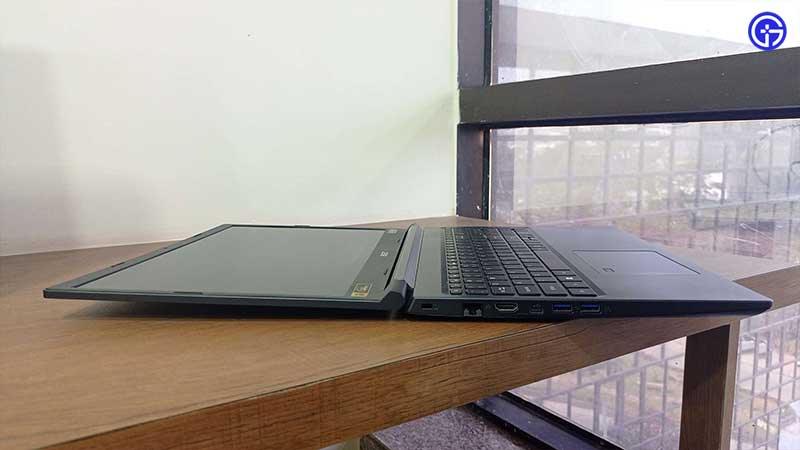
In terms of ports, you get x2 Type C & x3 type A USB slots, HDMI, AUX & Charging Port. The charging port placement was a bit of an issue for me because it was on the right side of the laptop, but not towards the end portion. I understand it is to keep the port away from the heating vents, but sometimes I find this troubling me when using my mouse in FPS games. But the battery was not bad at all. It took just under 2 hours to get 100% charge which lasted 3.5 to 4 hours depending on your games.
Acer Aspire 7 RTX 3050 (A715 43G) Laptop Verdict
In this review, we conclude that Acer Aspire 7 RTX 3050 (A715 43G) is a pretty good laptop for the price point. The official prices are yet to be revealed for different markets at the time of writing, but as per the price info from Acer, it’s a really good deal. It’s light, efficient, and capable of running all the latest games at the 60 to 90 fps mark. Games from the last couple of years ran pretty well with over 90 to 110 fps all the time. The heating was controlled well with heatsinks and well-placed fans too. Overall we should seriously consider this machine if you are looking for RTX 3050 laptop with a 144 Hz display.
If you enjoyed this review and found it helpful, check out our Reviews section on Gamer Tweak for more.